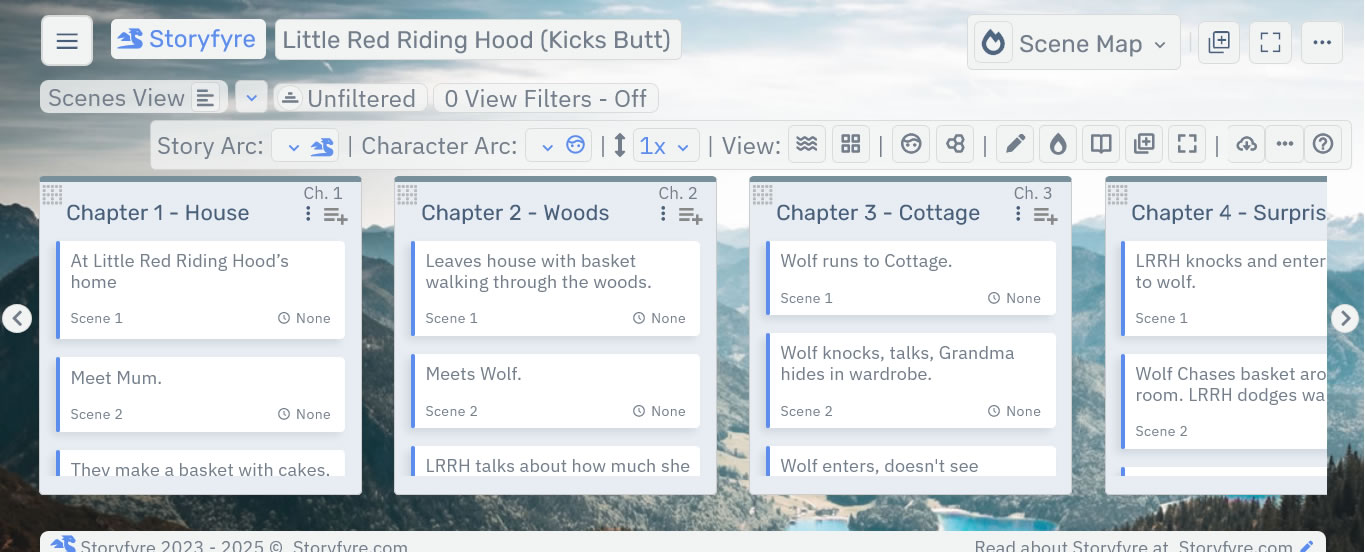
Scene Map: Ways to use Storyfyre's Scene Map.
March 5, 2026 vers. 2.0
Let's Begin
Use your scene map to have fun, to quickly visually map out, describe, plan, replan, plot, replot, organize, write, rewrite, or revise your story, novel, book, paper, med doc, parts of your story, picture book, web series, web book, LITRPG, TTRPG, game, video game, backstory, graphic novel, comic, and more...
As a discovery writer use after you write. As a plotter use before. If inbetween them, a little of both, use during writing or where it can give you a better story.
Add to your joy of writing and use your writing think time effectively.
Storyfyre - the fastest way to think through and really get to know your story.
Write faster, rewrite faster, write better. Finish more stories.
What this Page Covers
Ways to Use Scene Map
- Fix, plan, map, rewrite an existing story, after you write it.
- Plan, organize a story before you write it.
- Generate/download a story writing template from your story bible, story map, scene map.
- Understand and fix a story that isn't working.
- Generate momentum in your story or novel and keep going.
- Create a story bible, scene bible, scene map for your story, novel, book, web series, paper, LITRPG, TTRPG, game, video game, backstory, graphic novel, comic.
- Take your story bible, scene bible, scene map for your story, novel, book, along with you on any device to view or work on, anywhere.
- Plan, write, a screenplay, web series, web book, LITRPG, TTRPG, game, video game, backstory, graphic novel, comic, article, thesis, paper, medical paper, speech, or other written item.
- Quickly understand/reorder a story for a better story.
- Clean a novel or book's story up before publishing it.
- Make sure a novel or book's story is clear and right before putting it out for beta reading.
- Getting story, book, or novel feedback you don't understand? Understand your story end to end.
- Remove writer's block from writing or rewriting with a scene map to write faster.
- Quickly reorder your scenes or chapters to get a different view of your story fast.
- Have a story that is quite long and can't remember everything? Create your story/book bible.
- Write, rewrite stories, novels, books faster using Storyfyre as your book bible.
- Getting blah reviews? Tune up your story using the Scene Map View.
- Write using scene/chapter goal sentences, scene/chapter/story beats, scene/chapter descriptions. Use any story writing process or process format you want. Or use none at all if you want to write first then plan/map the story after.
- Use Storyfyre with Microsoft Word, Adobe PDF, or HTML and other writing softwares to turn them into story, novel, book writing machines.
Storyfyre won't write the story for you, but it will help you discover and write your story better, faster.
Understand your story. Then work on your story at a higher level, add to, remove, reorder your story till it's right. Until it flows right.
Our goal is to enhance the story writing experience for every author. No matter your process. Fixing your writing thought process fixes your story.
Limits
We know of some limits within Storyfyre, in each area we will try and list the ones we know of at the bottom, and ones which we intend to address with our future updates.
Storyfyre is growing daily, let us know what we can include, change, update. We appreciate your help.