Notes & Tasks: How To Use
March 5, 2026 vers. 2.0
Let's Begin
Writing notes that can be used by everybody. That help you complete your book, while staying fun.
Whether a discovery writer, a plotter, or inbetween. Storyfyre's Notes & Tasks gives you a better story. No matter when you use it, after, before, or during writing a draft, to create story change notes, draft changes, thoughts and ideas.
Storyfyre's Notes & Tasks adds to your joy of writing and uses your writing think time effectively.
Storyfyre helps you do it your way.
What this Page Covers
Basics
Put your story changes, draft changes, thoughts and ideas in one place. A place where you can think about them. Accessible from anywhere and any device, at any time, quickly.
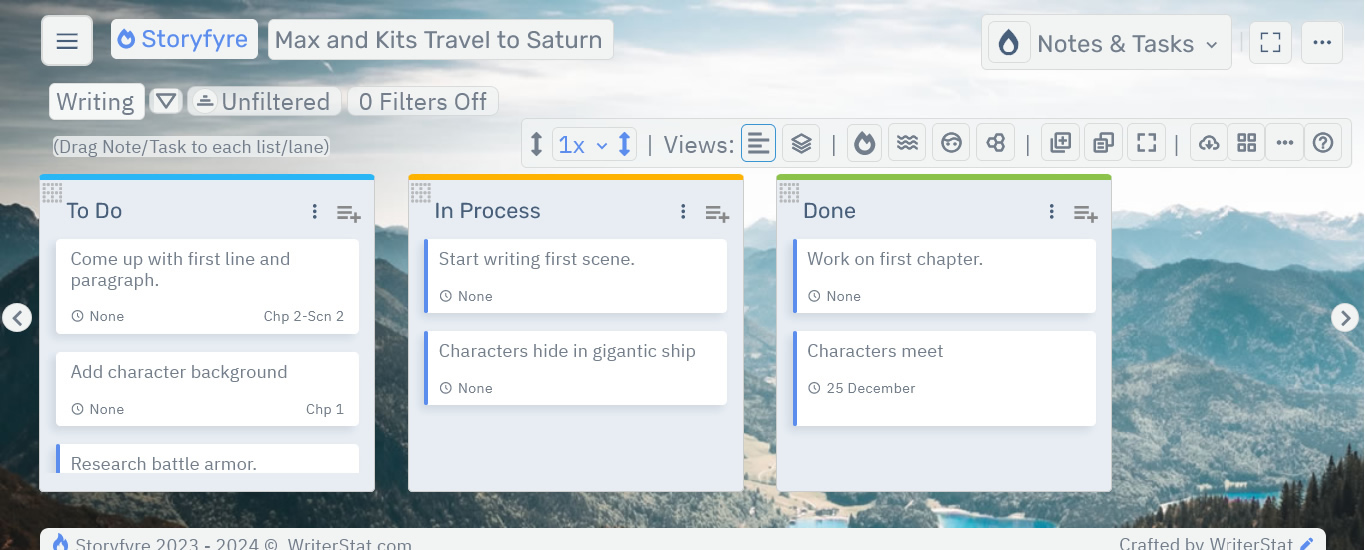
Compare possible changes in notes before making them in your draft, use think time to lessen your rewriting time. Try things out. Make this fun.
Use your thought process first before changing your draft. Change everything all at once in one draft.
Storyfyre, write faster, rewrite/change faster, write better. Finish more stories.
How to Use
- Storyfyre's Notes & Tasks is active note taking. From thought, to draft, to done.
- Lets make this simple.
- Add Writing Change Notes & Tasks, draft and story notes, using the Add Notes/Tasks Buttons.
- Drag them to the lists/lanes to finish. Create and Complete Writing Drafts.
- Generate momentum in your story or novel and keep going.
- Get motivated and keep motivated, watching things get completed.
- Create your process.
- Use your thinking process, draft process to make your wtiting process shorter.
- Fix a story in thinking before you fix it in words.
- Finishing a story is fun.
Storyfyre won't write the story for you, but it will help you think through, discover, and write your story better.
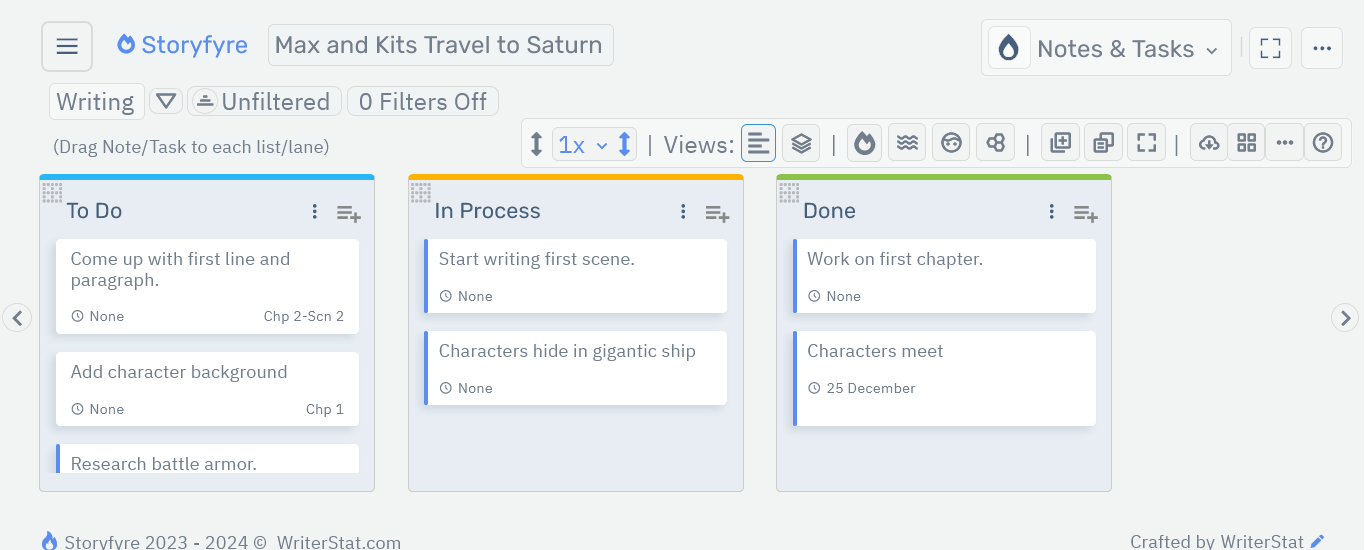
It doesn't matter if you've already written the story, or need to fix it.
Inventory and understand your story. Work on your story at a higher level until it's right. Until it flows right.
Make less drafts and rewriting.
Our goal is to enhance the story writing experience for each author. No matter your process. Or how your process is now. Fixing your writing thought process fixes your story, speeds up your writing.
Get Started
These are the areas in your Storyfyre Notes & Tasks Software:
Notes & Tasks: Toolbar
The Notes & Tasks Toolbar is the navigation hub in the Notes & Tasks area.
Notes & Tasks: Toolbar Help
Notes & Tasks: Lists/Lanes
Lists/Lanes are the containers for your Note/Task/Texts in your Notes & Tasks.
Notes & Tasks: Lists/Lanes Help
Notes & Tasks: Notes/Tasks/Text
Use Notes/Tasks/Text to map out, create change notes, drafts, draft notes, ideas, thoughts in your Notes & Tasks Work Area.
Notes & Tasks: Notes/Tasks/Text Help
Notes & Tasks: Filters
Filters, Tags, Chapter #'s, Scene #'s and More. Any view of your Notes & Tasks that you need to see.
Notes & Tasks: Filters Help(future)
Notes & Tasks: Download/Backup/Export
Download your Notes & Tasks in the format and in the way that you need. MSWord, PDF, HTML, WS File.
Notes & Tasks: Download/Backup/Export Help
Limits
We know of some limits within Storyfyre, in each area we will try and list the ones we know of at the bottom, and ones which we intend to address with our future updates.
The Lists/Lanes View has no limits.
The Workspace Display name and edit panel for the current Workspace are completely and fully functional(no limits).
We have included and stubbed out a few areas in the Notes & Tasks Toolbar Area that will be included in the next version. When clicking on them they will let you know the function is in the next version.
The Filters/Tags area and Filter's Buttons in the filters area are currently being worked on and will be included in the next version.
Storyfyre is growing daily, let us know what we can include, change, update. We appreciate your help.